

In this guide, you’ll learn step by step how to create a free business listing on ScoreCity, optimise it for maximum impact, and start attracting more local customers.
A business listing is your digital storefront. It’s where potential customers see your name, services, phone number, address, reviews, and photos before deciding to contact you.
And the best part? ScoreCity lets you do all this for free.
Verify your account with the OTP sent to your phone.
Pro Tip: Always use your official business phone number so you don’t miss OTPs or customer enquiries.
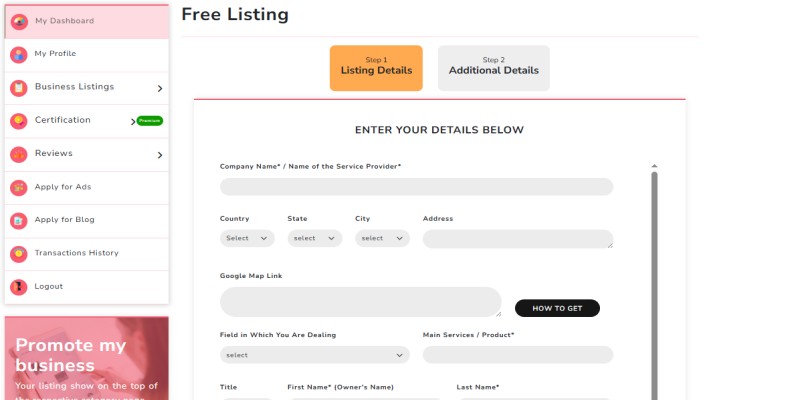
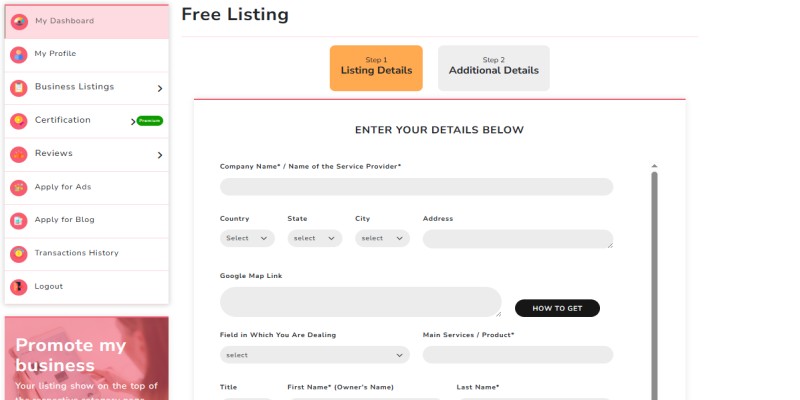
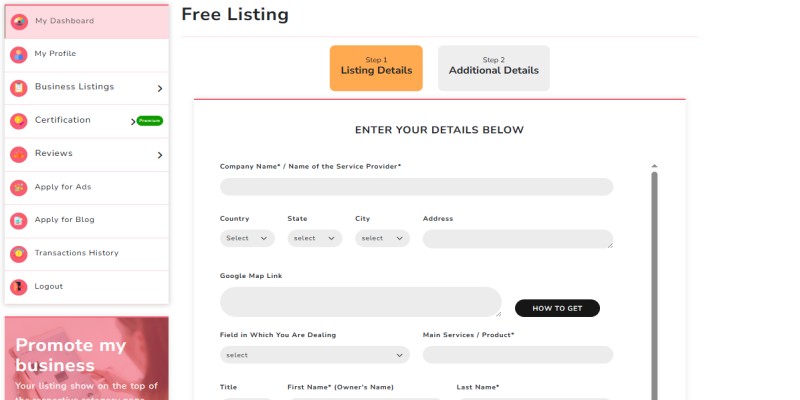
Once logged in, Free Listing form will get open on your screen.
This opens the ScoreCity business listing form, where you’ll enter details about your company.
Here’s what you’ll need to provide:
After filling everything, click Submit.
ScoreCity requires a Google Maps link for accuracy.
Paste this link into the “Google Map Link” field.
Once you press submit, you’ll get a notification on your screen.
If everything is correct, you’ll see a success message.
Creating a listing is step one. Optimizing it brings the leads.
Check if your listing appears in search (both on ScoreCity and Google).
Track calls or inquiries from customers who found you via your listing.
Update your details if you move or add new services.
GreenLeaf Café — Vegetarian Café in Indore
GreenLeaf Café is a cozy vegetarian café serving fresh bakery items, coffee, and wholesome meals. Located in Indore, we offer dine-in, takeaway, and delivery. Order custom cakes or book a table today. Visit our ScoreCity profile for reviews, photos, and contact details.
A business listing on ScoreCity is one of the easiest ways to increase your online visibility, attract local customers, and collect reviews — without paying for ads.
If you haven’t already, head to ScoreCity Free Listing and create your profile today.
Your next customer is probably searching right now — make sure they can find you.
Q1. What is a business listing?
A business listing is an online profile that displays your company’s name, address, contact details, services, and reviews. It helps potential customers discover your business through local search and directories.
Q2. Is it free to create a business listing on ScoreCity?
Yes, ScoreCity allows you to create and publish your business listing completely free of cost.
Q3. How do I add my business to ScoreCity?
Simply sign up on ScoreCity, open the Free Listing form, fill out your details, add your Google Maps link, and verify via OTP.
Q4. Can I edit my ScoreCity business listing later?
Yes, you can log in anytime to update your information, services, or contact details. Keeping your listing updated improves visibility.
Q5. Why should I optimize my business listing?
Optimizing your listing with photos, keywords, and reviews helps you rank higher in search results, attract more customers, and build trust online.

© 2022 ScoreCity. All Rights Reserved.

.png)
.jpeg)
.jpeg)
.png)
